


Business conference
Speakers, the stage, the hall, questions, and the online audience — everything needs to come together into one managed broadcast with solid sound and picture.
Two cameras and a dedicated director from RUB 49,000. Up to 4 live hours and 8 hours on site. Preparation, connectivity backup, recording and OnFocus with AI into one supported language are included. Based in Moscow, working across Russia and abroad; travel is agreed in the estimate.
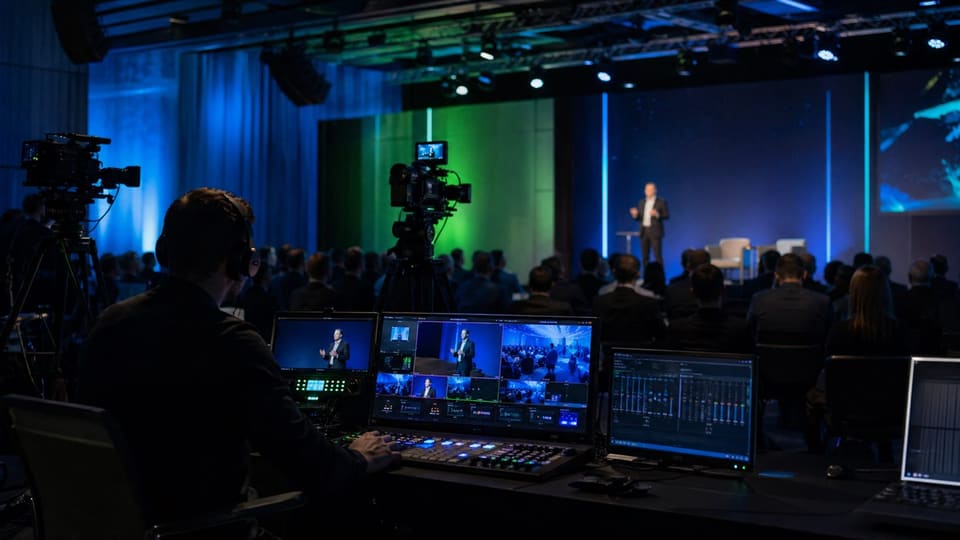
Live streaming is needed where it matters that the remote audience sees the event as a finished broadcast, not as an ordinary video call.
Speakers, the stage, the hall, questions, and the online audience — everything needs to come together into one managed broadcast with solid sound and picture.
A professional audience expects a quality broadcast. It needs careful direction, presentation capture, and a stable signal.
A demo, slides, and live commentary need to reach the broadcast at the right moment — without delays or technical glitches.
Several speakers, handing over the floor, questions from the audience — the director switches cameras and keeps the pace so online viewers don't lose the thread.
Some participants in the hall, some online, remote speakers — everyone should hear and see each other within a single setup.
When the broadcast is meant for a specific circle: limited access, NDAs, and an agreed setup without public platforms.
We assemble the full technical setup for the task: from rigging at the venue to recording and help with the platform.
The number of cameras depends on the format, scale, and the number of speakers on stage.
A simple talk or a webinar with one speaker. Enough for a minimal format without a hall.
A closer shot of the speaker and a wide shot. A basic option for a small conference or presentation.
A conference with a hall, questions, and a panel discussion. Lets you show the stage, each participant, and the audience.
Complex events, awards ceremonies, multiple stages, or a large forum. The setup is calculated individually.
From the request to the recording handover — a clear sequence of steps. You describe the task, and we handle the rest.
You describe the format, the venue, the number of speakers, and the platform. That's enough for a first estimate.
We propose the camera, sound, and crew setup for the task, and lock in the price and work plan.
We agree on internet, power, and camera positions, and set up the streaming platform and access.
We check the sound, cameras, presentations, and switching order before going live.
The on-site crew runs the broadcast: direction, graphics, sound, and signal control down to the final frame.
The directed recording is available as a local file immediately after the broadcast. We upload material from cameras in the agreed 4K mode to the cloud on the shoot day; other source formats and completion times for large uploads are agreed in advance. Storage lasts 60 days, with a free extension on request.
The video shows a conference with a Federal Tax Service representative. 100+ broadcasts over 11 years of working with Kontur.
Live stream of a business event for SKB Kontur at the RBC Event Center
A business talk from the client’s venue, presentation capture and a directed broadcast for remote viewers. Watch the real output to assess the picture, sound and switching.
More broadcasts and client feedback →Choose the programme, crew and hours that fit your event. A fixed shot starts at RUB 29,000; two cameras with a separate director start at RUB 49,000.
A lecture with one speaker in one area. A fixed shot and a simple programme.
Talks and presentations in one room. A dedicated specialist directs the broadcast.
Discussions with in-room participants and remote speakers.
A full programme in one room with audience questions and remote contributions.
No VAT. The service provider uses the automated simplified tax system (AUSN). We agree on scope and price before the event. Additional work requires agreement first. Any live extension is quoted as one total covering the crew, video delivery and AI.
The table is wider than the screen — swipe sideways →
| Scope | Compact RUB 29,000 | Conference RUB 49,000 | Hybrid RUB 69,000 | Forum RUB 119,000 |
|---|---|---|---|---|
| Live / on-site hours | 3 / 6 | 4 / 8 | 6 / 10 | 8 / 12 |
| Camera setup | 1 fixed camera | 2 cameras: 1 operated camera and a fixed wide shot | 3 cameras: 2 operated cameras and a fixed wide shot | 4 cameras: 3 operated cameras and a fixed wide shot |
| Crew and roles | 1 engineer/operator | Director/engineer and camera operator | Director/engineer and 2 camera operators | Director, engineer and 3 camera operators |
| Remote speakers | Remote speakers not included | Up to 2 remote speakers; 1 at a time | Up to 4 remote speakers; 2 at a time | Up to 8 remote speakers; 4 at a time |
| Rehearsal, minutes | 20 | 30 | 45 | 60 |
One advance venue inspection and internet test. A technical plan, presentation checks, a remote-speaker guide and our own connectivity backup based on venue measurements.
Audio from the venue's working mixer, presentations, a logo, opening slate and lower thirds from your materials; one design approval round. Venue sound equipment, venue hire and any venue internet fee are quoted separately.
The technical venue check is free; the visit within the Moscow Ring Road is included. Transport beyond the Ring Road and travel expenses are agreed separately.
OnFocus is included: one event, one FullHD stream with video delivery and up to 2,000 simultaneous participants in total, within the package's live hours. List- or corporate-domain-based private access, programme, branding, polls, Q&A and a report. After the event: the OnFocus KPI report and a detailed event report by OnFocus.ru AI built from the recordings of every room: topics, timing against the programme, requests from the stage, disputes and risky moments; ready within a few days.
Included AI: captions and voiced translation into one selected supported language for one source stream, within the live hours. Extra languages and parallel streams are quoted in advance.
The directed recording is available as a local file immediately after the broadcast. We upload material from cameras operating in the agreed 4K mode to the cloud on the shoot day; other source formats and completion times for large uploads are agreed in advance. Storage for 60 days, with a free extension on request. The live stream is FullHD.
On-site hours include setup, rehearsal, waiting, the live broadcast and teardown. Each included remote speaker gets one technical test of up to 15 minutes. An extra preparation day, repeat tests, venue sound equipment, stage lighting, a dedicated platform operator, content moderation and API integration development are agreed separately.
Custom project. Multiple rooms, parallel streams, a larger audience or a separate rehearsal day receive a custom estimate with the crew and limits agreed before work starts.
One camera is enough for a simple talk. For a conference with a hall, questions, and a discussion — 3–4 cameras: the stage, a closer shot of the speaker, and a wide shot of the hall. We agree on the exact setup after you describe the format and venue.
Yes. We capture presentations from the laptops on stage or from the control room and send them to the broadcast as a separate source. This is a standard part of preparation — we agree on it in advance to check the connections before the start.
Yes. We can stream to a private page, a corporate platform, or a restricted-access service. We agree on the setup during preparation, and work under an NDA when needed.
Yes, recording is part of the standard setup. We hand over an agreed set of source files; the cameras and format are fixed in the estimate. For those who could not attend, we can host the recording on our own video platform, OKVideo Tube, on request: a link for your follow-up email and an embed code for your website, with no ads next to the talks. Hosting is priced in the estimate. The Tube page is in Russian.
For most conferences we recommend at least a short technical check: sound, cameras, presentations, and the platform. It removes the main risks and lets speakers feel more confident on the day of the broadcast.
The Conference package starts at RUB 49,000: two cameras, a director/engineer and an operator, up to 4 live hours and 8 hours on site. Hybrid starts at RUB 69,000 and Forum at RUB 119,000. The RUB 29,000 Compact package is limited to one fixed camera and a simple programme. OnFocus, preparation, connectivity backup and recording are included within the listed limits. Additional work is agreed in advance.
A detailed event report by OnFocus.ru AI: from the recording of every room we break down what was discussed, how long the sessions really ran, what was requested from the stage, where the debates were, growth points for next time and legally risky moments. The report is included in every broadcast package and arrives a few days after the event as a web page and a PDF (in Russian). Sample report.
Send us the date, the venue and the programme — we will come back with a setup and an itemised quote.
Describe the venue, the number of speakers, the duration, and your preferred platform — we'll plan the crew and prepare an estimate. No long briefs or unnecessary calls.
